Unican Locks: Change Your Code
Ever found yourself locked out of your smart lock system, or worse, the lock itself? It's a frustrating experience, but it happens more often than you'd think, especially with such a wide range of models and user experiences. One common solution is to change your lock's code, which might seem daunting at first, but with the right guidance, it's a straightforward process. Let's dive into the world of "unican locks change code", exploring what it is, why you might need to do it, and how you can do it yourself.
Before we get started, it's essential to understand what we're dealing with. Unican locks, produced by Uni oublier (French for "open the door"), are electronic locks that use a code to unlock. They're used in various settings, from homes and offices to schools and hotels. Now, let's delve into why and how you might need to change your Unican lock's code.
Why Change Your Unican Lock's Code?
There are several reasons why you might need to change the code on your Unican lock. Perhaps you've moved into a new place, and the previous owners still have the old code. Maybe an employee has left your company, and you want to ensure they no longer have access. Or, it could be that you've simply forgotten the code and need to reset it.
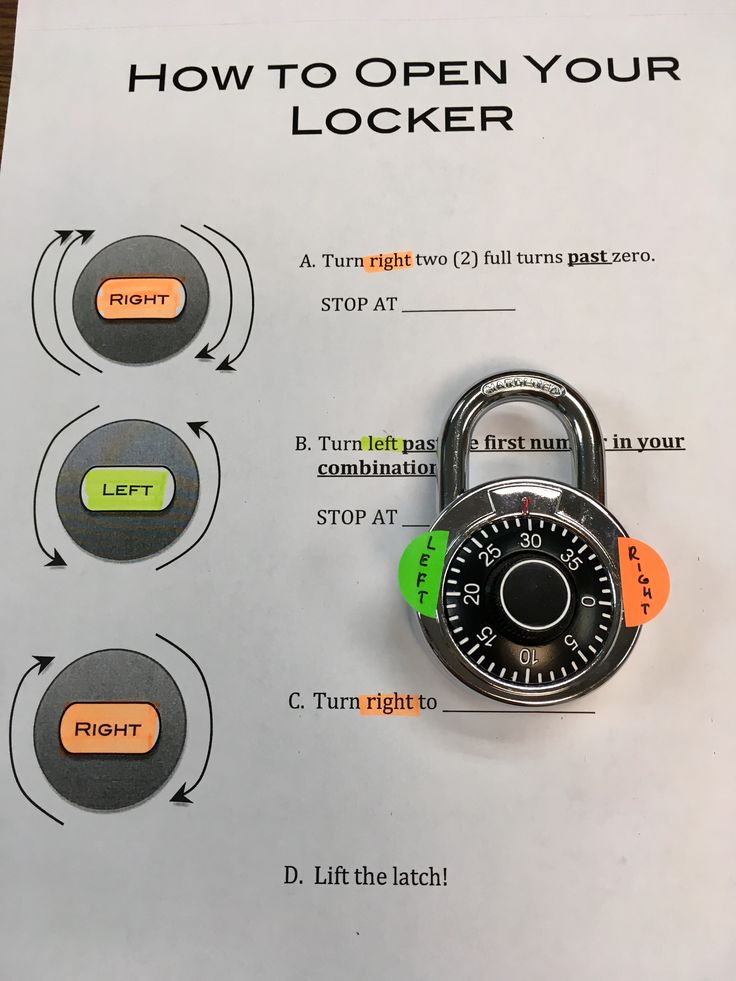


Regardless of the reason, changing your Unican lock's code is a crucial security measure. It ensures that only authorized individuals have access to your property, protecting you from potential security threats. Now, let's explore how you can change the code on your Unican lock.
How to Change Your Unican Lock's Code
Changing the code on your Unican lock is a straightforward process that typically involves using a special master code or following a step-by-step process via the lock's keypad. Here's a general guide to walk you through the process:


- Access the lock's programming function using the master code or the lock's user manual.
- Once in programming mode, delete the old code using the 'CLR' button or the delete function.
- Enter your new code using the lock's keypad. Make sure it's a code you'll remember, but not too obvious.
- Save the new code using the 'ENT' or 'SAVE' button. This will lock in your new code.
Remember, the exact process might vary depending on your specific Unican lock model. Always consult your lock's user manual or contact the manufacturer for detailed instructions.
Changing Codes on Different Unican Lock Models
Unican locks come in various models, each with its unique programming process. Here are a few examples:
- Unican 3060: Access programming mode by entering the master code followed by '2'. Delete the old code with 'CLR', then enter your new code. Save it using 'ENT'.
- Unican 4060: Enter the master code, then '5' to access programming mode. Follow the prompts to delete the old code and enter your new one.
- Unican 5060: Enter the master code, then '*' to access the 'Administration' menu. From there, follow the prompts to change your code.
Tips for Choosing a New Code
Changing your Unican lock's code is only half the battle. The other half is choosing a secure, memorable code. Here are some tips to help you:


- Avoid obvious codes: Steer clear of common numbers like '1234' or your date of birth. Instead, opt for a random mix of numbers.
- Use a pattern or acronym: Create a pattern or acronym based on memorable information, like a favorite song lyric or book title. For example, 'B6@L7' from the Beatles' song "She Loves You".
- Keep it handy: Once you've decided on a code, keep it in a secure, easily accessible location. A digital note on your phone works great for this.
And there you have it - a comprehensive guide to understanding and changing your Unican lock's code. Whether you're a tech-savvy homeowner or a business owner looking to ramp up security, knowing how to change your lock's code is a valuable skill. So, the next time you find yourself locked out, don't panic. With this guide, you're fully equipped to handle the situation.
Finally, consider this as a reminder. Security is an ongoing process, not a one-time fix. Regularly review and update your lock codes to ensure the highest level of security for your property. Stay safe out there!


Related Articles

Strauss Lock Distributors: Your Trusted Source for Quality Locks
In the vast realm of security hardware solutions, the name Strauss Lock distributors stands out as a beacon of reliability and innovation. With a strong...

Santiago to Mendoza: Your Ultimate Change & Journey Guide
Embarking on a journey from Santiago to Mendoza, two vibrant cities nestled in distinctively beautiful regions, promises an unforgettable experience. Whether...

Regular vs Synthetic Oil Change: Which is Right for Your Car?
The choice between regular oil and synthetic oil for your vehicle often comes down to personal preference and specific vehicle requirements. Both have their...

Smile Loft Laurel: Transform Your Smile, Change Your World
Discover the transformative power of a confident smile with Smile Loft Laurel, your premier destination for cosmetic dentistry in Laurel, Maryland. Nestled in...

Pick-Proof Door Locks: Maximum Security for Your Home
In today's security-conscious world, protecting your home or business from unauthorized entry is paramount. One of the most effective ways to enhance your...

Find Your Perfect Highlighter Yellow: #F3F94F Color Code
The vibrant and distinctive color, often referred to as highlighter yellow, has captivated our visual palette, and for good reason. This sharp, eye-catching...